Mobile PDF toolkit for viewing, editing, converting, and managing
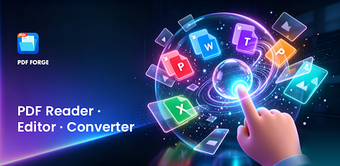
Open, annotate, convert, merge and organise PDFs and Office files directly on an Android device, all stored locally for offline use. PDF Forge - Reader Tools, from YingDeng, bundles a viewer, editor, conversion engines and a file manager into one utility. The app supports Word, Excel, PowerPoint and image-to-PDF conversion, offers multilingual interfaces, and targets students, office workers and casual mobile users who need on-device document handling without signing up.
What the tool does and which workflows it covers
The app functions as a single on-device document companion: it renders PDFs for reading, provides annotation and basic editing tools, and converts Word, Excel, PowerPoint and images into PDF. It also merges and splits PDF files, and exposes an integrated file manager for renaming, deleting and sorting documents by name, date or type. These capabilities map to common mobile tasks like assembling reports, annotating lecture notes, and converting photos into PDFs.
Does it affect device performance during regular use?
PDF Forge runs on Android and keeps documents stored locally, which avoids network transfers during normal operation. The listing notes offline access and a lightweight package intent, so typical workflows (viewing, converting, merging) execute without requiring cloud resources. Because conversion and merging are performed on-device, processing load depends on file size; the app design emphasises local operations rather than background syncing to remote servers.
Is document handling safe and appropriate for sensitive files?
The tool offers password lock and unlock options for secure document handling, and it requires no account or sign-up to use files locally. That combination lets users keep documents on-device while applying a password layer. The app does not state server-side storage for documents, and the stated password feature provides a basic access control step before a document is opened or shared.
How approachable is the interface for non-technical users?
YingDeng designed the app with a clean layout and multiple language localizations, including English, German, Chinese and Spanish, which supports non-technical users across regions. The integrated file manager groups PDFs, Office files and images and presents sorting options; the absence of an account requirement reduces setup friction. Advanced or niche editing workflows are not emphasised, keeping the learning path short for everyday document tasks.
Practical utility for mobile document tasks, with one trade-off
PDF Forge suits students and professionals who need on-device reading, light editing and format conversion without creating an account. It balances local control and multilingual support against limited advanced editing depth: users who require deep PDF editing or enterprise-grade workflow automation may find the tool less capable. For day-to-day document assembly and secure local storage, it performs as a compact mobile utility.